

- Download required OpenSSL version and extract
- Note: p4api 2023.x uses OpenSSL 1.0.2t, click to download this version
- Follow the instruction shipping with OpenSSL
- Open file INSTALL.W64 in the root folder
- Install Stawberry Perl if not yet (do NOT use ActivateState Perl)
- Install NASM if not yet
- Need add envitonment varial path mannually for it
- Use Visual Studio Developer Command Prompt with administrative privileges
- NOTE: Use the right one (we use x64 version here)
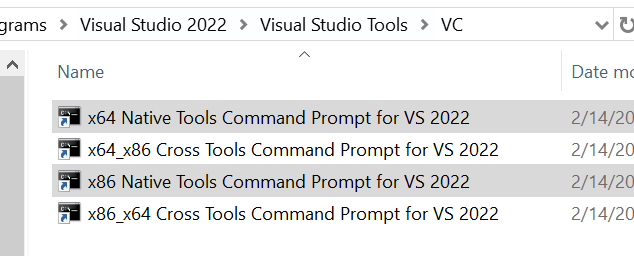
Use commands in the prompt:
cd /d <OpenSSL source root path>
perl Configure VC-WIN64A no-shared –prefix=<TargetPath>
- Follow the instruction and complete the rest steps
- Hint: The last step is testing build result, it will tell you whether the build result is correct