

Introduction
Default SSL pseudo lib removed from p4api since version 2017.x. Cryengine 5.7 use p4api version 2016.x which does not support SSL. But our server require SSL support (and I have no intention to change this) so we use latest p4api instead. But SSL libs are not included in p4api. So we need to build OpenSSL libs on our own and modify PerforcePlugin (official integration of p4 in CE) build configs.
NOTE: Also helix only provide p4api download since version 2017.x officially.
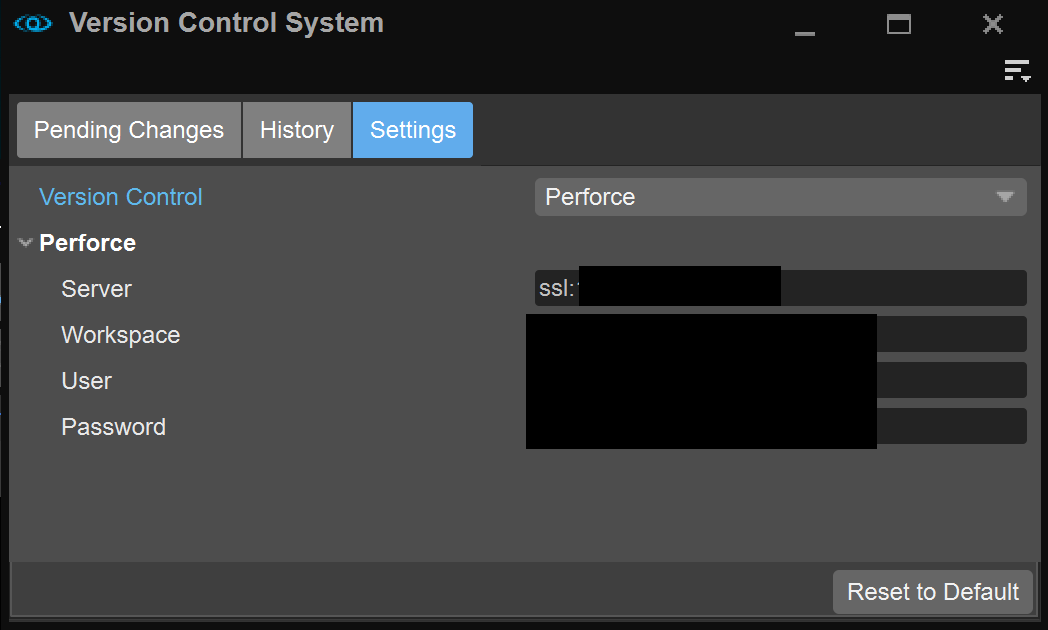
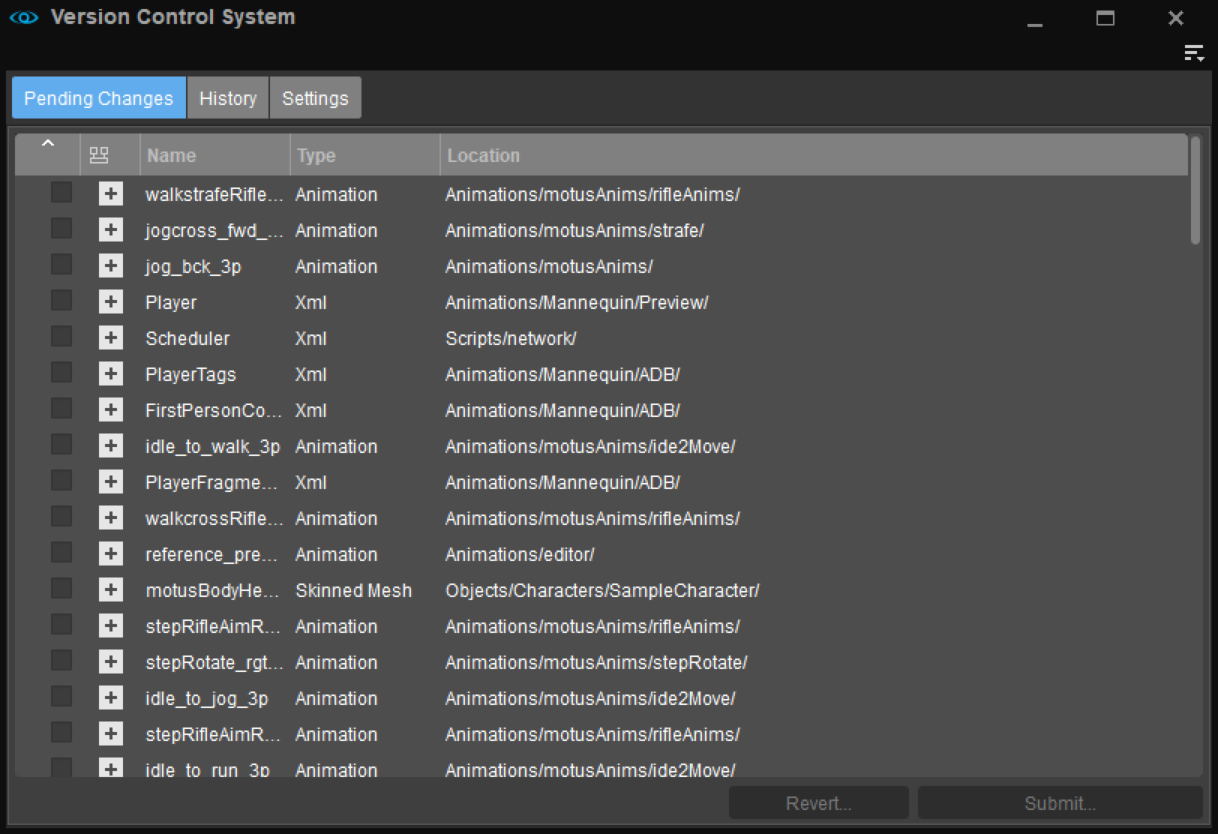
Let’s see the result first:
Build OpenSSL and deploy to CE
- See Bulid OpenSSL on Windows for more details
- OpenSSL 1.0.2.t are used from p4api 2017.x to 2023.x
- Use ‘no-shared’ option for static library when vuild OpenSSL
- Copy SSL libs to p4api sdk lib folder (see build PerforcePlugin section)
- libeay32.lib
- ssleay32.lib
- Copy SSL dlls to bin/win64
- libeay32.dll
- ssleay32.dll
- [Optional] Add dlls to no ignore p4ignore config (if you are using perforce as version control)
- !*/bin/*/libeay32.dll
- !*/bin/*/ssleay32.dll
Build PerforcePlugin for CE Sandbox
- Modify PerforcePlugin cmake file
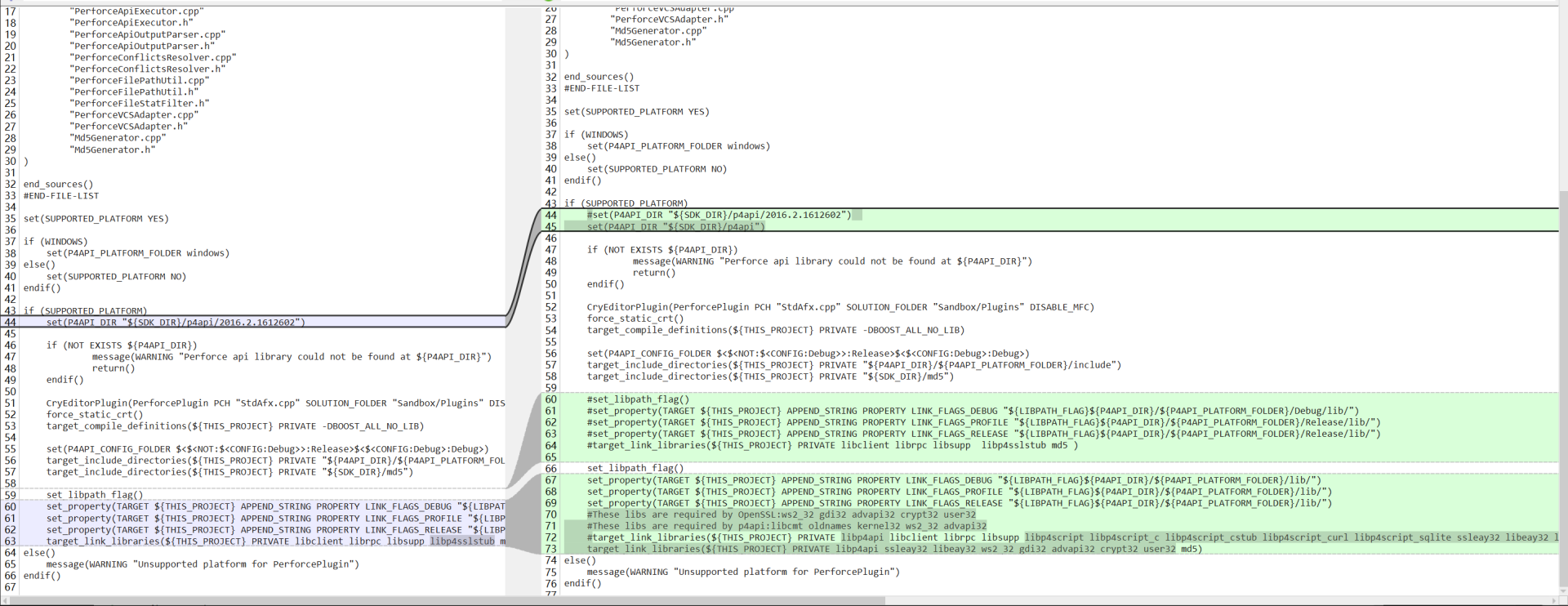
- Create the folder ‘p4api/windows’ under ‘Code/SDKs/’
- Then copy p4api ver 2023.x to the path
- Copy ssleay32.lib and libeay32.lib from OpenSSL compile result (See OpenSSL above)
- Configure and generate, then build
- Run sandbox and open the VersionControlSystem UI and ensure Perforce option exists
That’s all. Thanks for reading this article. Hope it helps.
Related Posts
Fix CryEngine Mannequin Editor DPI Scaling
Introduction Note: A diff path file is provided at the...